Recite
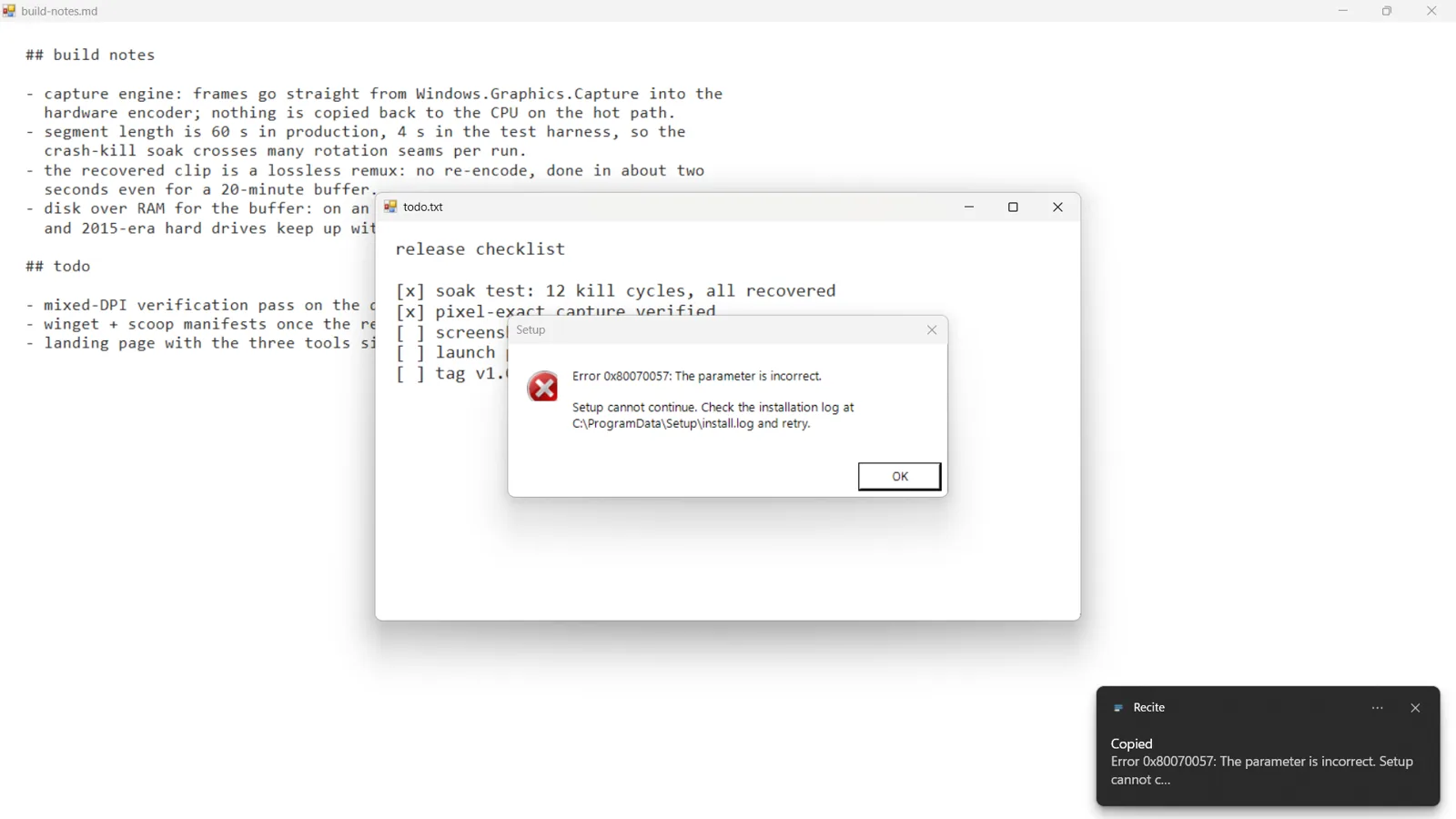
Recite copies text from anything on your Windows screen. Press Ctrl+PrintScreen, drag over the words, and they are on your clipboard. It works where normal selection doesn't: error dialogs, hardcoded subtitles, code in a video tutorial, a screenshot someone posted in chat.
It reads with the OCR engine that already ships with Windows, so it runs offline and sends nothing anywhere.
Three steps, no window
The whole app, start to finish.
-
Press the hotkey
Ctrl+PrintScreen freezes the screen. Windows and panes highlight as you hover. The hotkey can be changed from the tray.
-
Drag or click
Drag a box over the text you want, or click a window to take all of its text at once. Large multi-monitor grabs are scaled to fit instead of refused.
-
Paste
The text is on your clipboard and a notification shows its first line, so you know it worked before you paste.
Why not what you have?
Windows already has ways to do this. Here is the catch with each.
- Snipping Tool's text actions: snip, wait for the editor, click Text actions, select, copy. Five steps and a window. Recite is a hotkey and a drag.
- PowerToys Text Extractor: you install a suite of fifteen tools for one feature. Recite is one app.
- Capture2Text: no longer maintained, and it bundles its own OCR models. Recite uses the engine already inside Windows.
On Windows 11, Recite uses the sharper OCR model inside the Snipping Tool package, which reads small text and code noticeably better. Where that package is missing it falls back to the built-in engine on its own.
Before you install
Short answers to what people ask first.
Does Recite need the internet?
No. It reads text with the OCR engine that ships with Windows, so it works offline and nothing is uploaded.
Which languages can it read?
Any language you have a Windows language pack for. The OCR comes with the language packs, so there is nothing extra to download.
How is it different from Snipping Tool or PowerToys Text Extractor?
Snipping Tool's text actions take five steps and open an editor. PowerToys installs a whole suite for one feature. Recite is one small app: a hotkey, a drag, and the text is copied.
Which download should I pick?
Recite.exe is the smaller download and needs the
.NET 10 Desktop Runtime.
Recite-self-contained.exe is bigger and needs nothing installed. Both run on
Windows 10 version 2004 or later.
The hotkey does nothing over one app. Why?
Apps and games running as administrator block hotkeys from normal apps while they have focus. Use Restart as administrator in the tray once.
MIT licensed. Also by Blanco: DejaVu, instant replay for Windows.