DejaVu
DejaVu is a free instant replay app for Windows. It always keeps the
last 5 to 25 minutes of your screen, and when something worth keeping happens you press
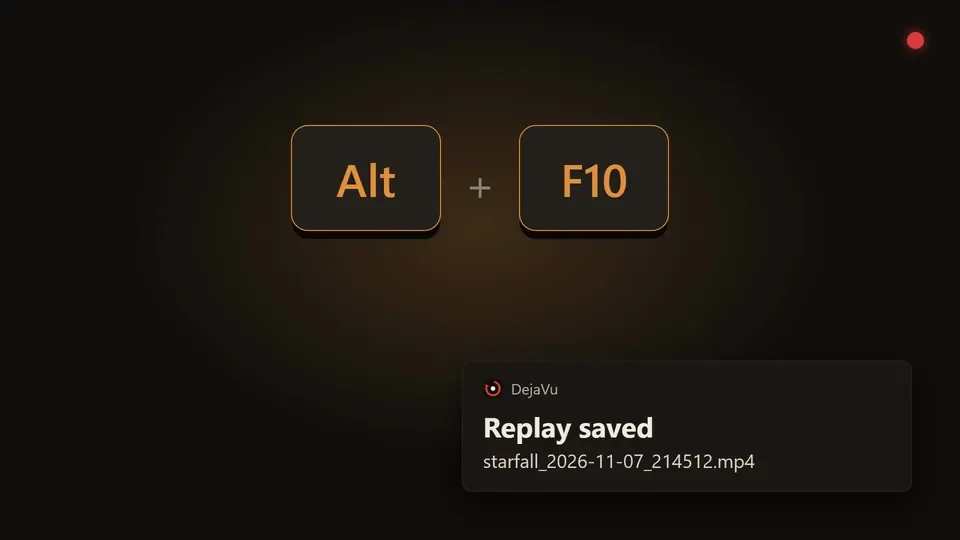
Alt+F10 and it lands in Videos\DejaVu as an MP4,
named after the game you were playing.
There is no main window and nothing to set up. A red dot in the corner tells you it is recording, a short chime tells you the clip saved, and every setting is in the tray menu.
Built for the clip you almost lost
Each of these is a way the usual replay tools fail when it matters.
-
It stays on
It starts with Windows and never needs a buffer started by hand. If capture breaks, it falls back to the main display, keeps recording and tells you, instead of quietly stopping the way ShadowPlay can.
-
A crash doesn't eat the clip
The buffer lives on disk in one-minute segments, not in RAM. If the game or the PC goes down, the next launch stitches what survived into a recovered clip.
-
Discord stays out
Capture a game window and the clip carries that game's audio only. Capture a whole monitor and Discord is left out of the mix. Want voice chat in? One click.
-
Any GPU, small files
Frames go straight to your GPU's hardware encoder. RTX 40, RX 7000 and Arc cards record AV1, about a third smaller for the same quality. Everything else records H.264.
-
Fast saves
Saving joins the segments into one MP4 without re-encoding, so a 20-minute clip is ready in a couple of seconds. Press the key 90 seconds after launch and you get 90 seconds.
-
Old PCs welcome
Made for machines from about 2015 up. The buffer takes disk, not the RAM your game needs, and the writes are light enough for an old hard drive.
Everything is in the tray
Right-click the icon. There is no other window.
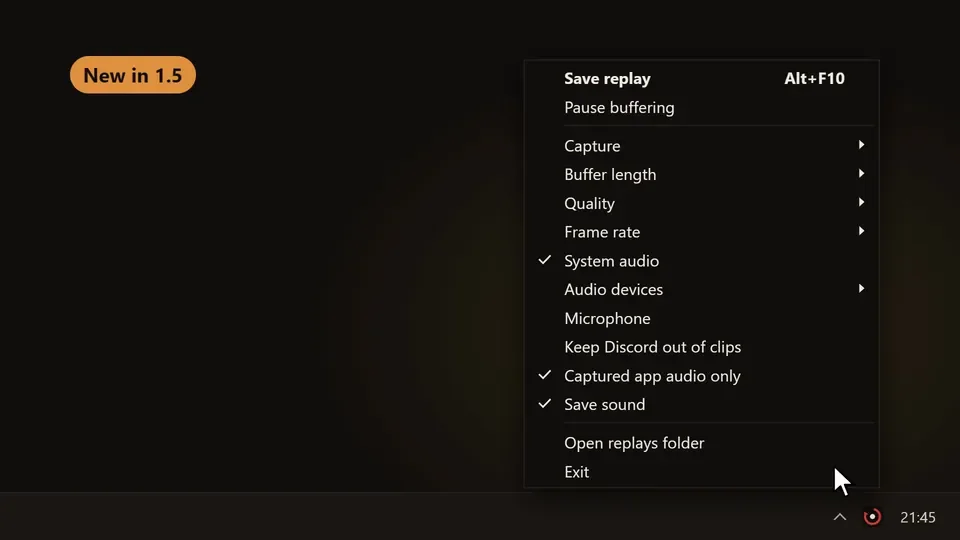
- Buffer length: 5, 10, 15, 20 or 25 minutes.
- Capture: follow your game automatically, a chosen monitor, or one window.
- Quality and frame rate: Low, Medium or High, from 30 up to 240 fps.
- Audio: system audio, your microphone (off by default), and extra output devices such as a SteelSeries Sonar chat mix.
- Clip folder cap: off, 10, 25 or 50 GB. The oldest clips go first, the newest is never touched.
- Hotkey: click to rebind.
On Windows 10, the standard capture method draws a yellow border around what it records. Switch Capture method to Desktop Duplication and the border is gone.
Before you install
Short answers to what people ask first.
Does DejaVu need an NVIDIA graphics card?
No. It uses whatever hardware video encoder your GPU has: NVIDIA NVENC, Intel QuickSync or AMD VCE. Without one it falls back to software encoding, which costs CPU.
What happens to the replay if my PC or game crashes?
The buffer is written to disk in one-minute segments, not held in RAM. On the next launch DejaVu stitches what survived into a recovered clip and tells you.
Will my Discord voice chat end up in the clip?
Not by default. Capturing a game window records only that game's audio, and monitor capture leaves Discord out of the mix. One click in the tray menu puts voice chat back in.
Does DejaVu upload anything?
No. There is no account, no upload and no telemetry. The only network request is an optional update check that is off by default.
Which download should I pick?
DejaVu.exe is the smaller download and needs the
.NET 10 Desktop Runtime.
DejaVu-self-contained.exe is bigger and needs nothing installed. Both run on
Windows 10 version 2004 or later.
The hotkey does nothing in one game. Why?
Games with anti-cheat often run as administrator, and Windows blocks hotkeys from normal apps while they have focus. Use Restart as administrator in the tray once.
MIT licensed. Also by Blanco: Recite, which copies text off anything on your screen.